
What you can do with Cartners
One account, two front doors. The Cartners app is built for the course and the parking lot; the website is the same clubhouse with room to spread out. Here is what is inside, screen by screen.
Your clubhouse, in one glance
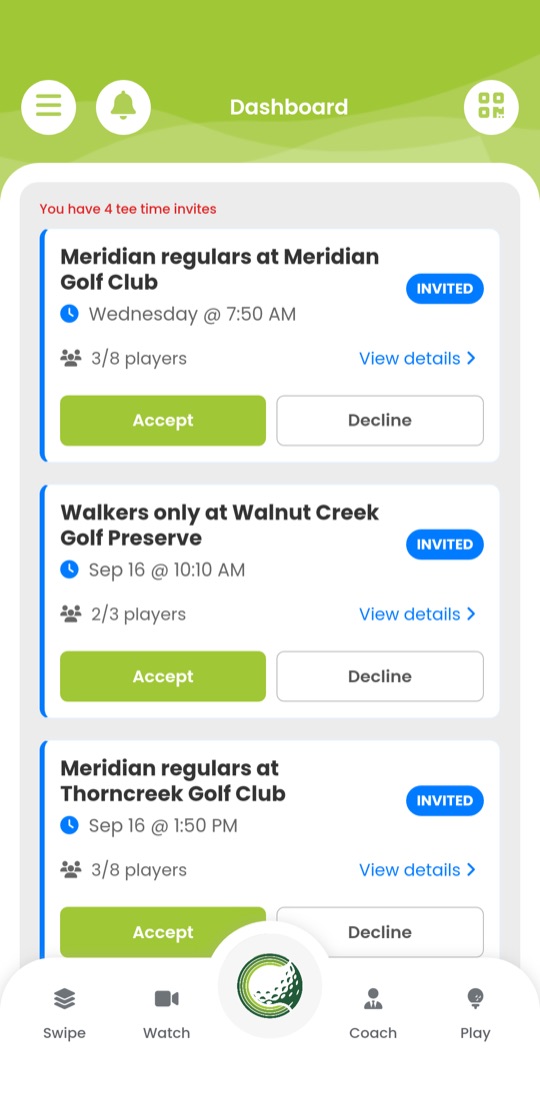
The dashboard gathers what needs you today: tee-time invitations to accept or decline, the rounds on your calendar, friend requests and new connections.
Everything on it is live data from your account, so a round you join on your phone is on your screen at your desk a moment later.
Open My clubhouse in the browser to see the same invitations and rounds with room for the details.
Meet golfers who play the way you do
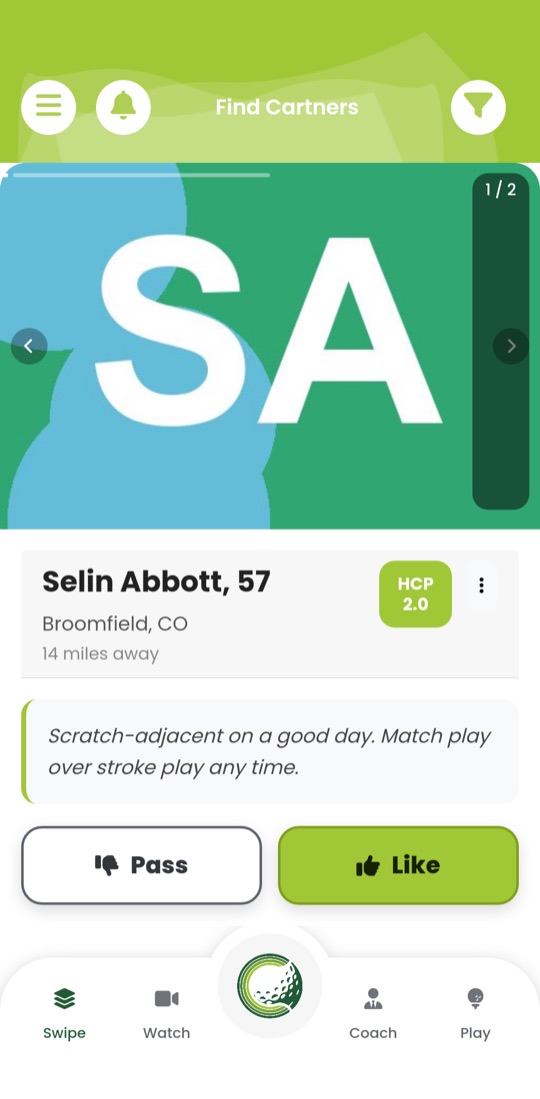
Browse golfers near you one card at a time. Each card shows the distance, handicap, playing preferences and a few words in their own voice.
Like the ones you would play with; when the interest is mutual you are connected, and a connection can become a friend, a chat and a regular game.
The same deck, connections and friends list are in the browser clubhouse, with your QR code ready to share.
Tee-time lobbies that start with an idea
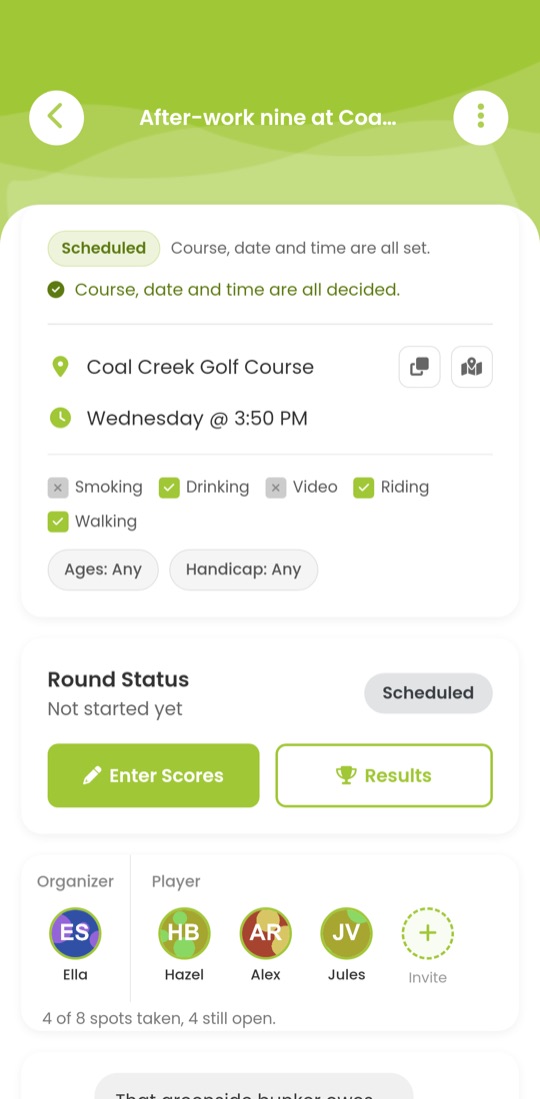
Start a lobby with nothing more than “this Saturday, morning”. Pick the course and the exact time later, together with whoever joins.
Lobbies can be public or private, carry playing rules such as walking or drinking, take a waitlist when they fill, and hold the chat and side games for the day. One tap puts the round on your calendar.
Browse open lobbies, start one and manage yours from the website; invitations arrive wherever you are signed in.
Scores and results for social rounds
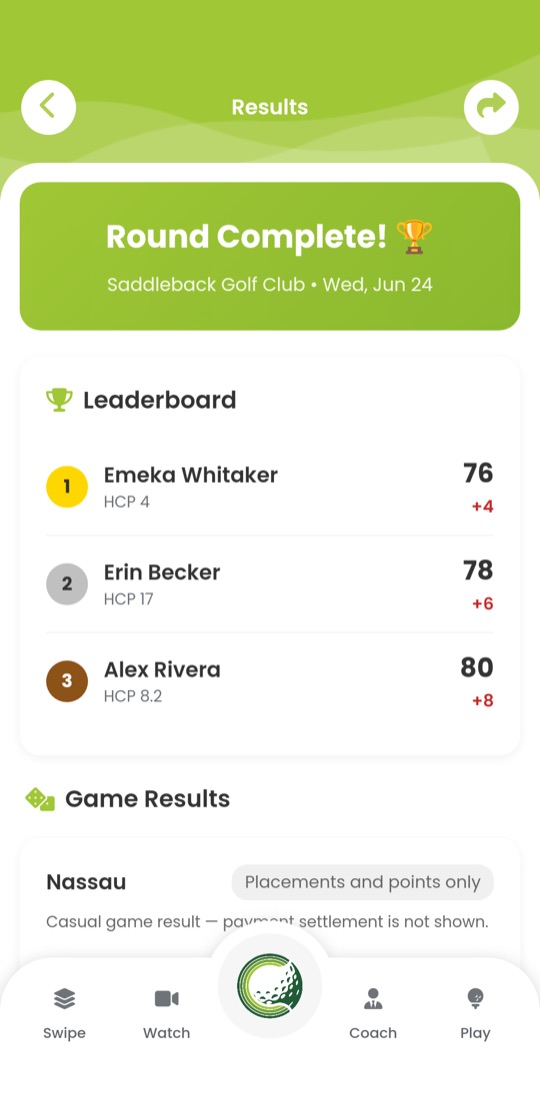
Enter scores hole by hole for everyone in the group, run skins or a Nassau on the side, and see the leaderboard the moment the round is complete.
Past rounds keep their players, scores and side-game results, so the rematch has something to argue about.
Past rounds and their results are in the clubhouse too, laid out for a bigger screen.
Tournaments from registration to published results
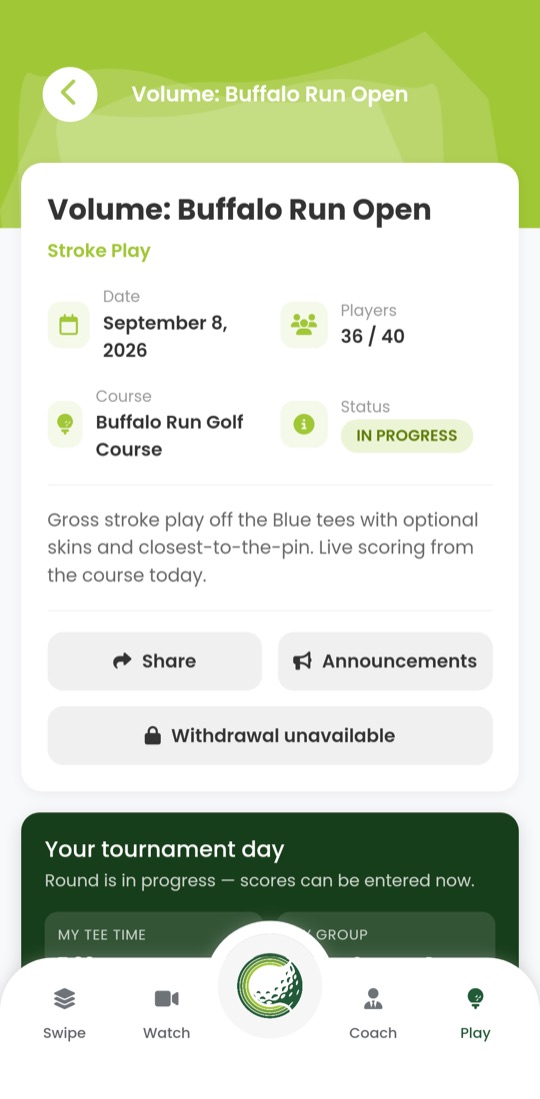
Players find an event, register or accept an invitation, see their tee time and group, and enter scores from the course. Organizers manage approvals, waitlists, flights, pairings, staff, announcements and scoring access codes.
Results are frozen and published as versions, so a corrected score becomes a new version rather than a silent change.
The organizer console, printable scorecards, tee sheets and cart signs are made for the desk, and every tool is in the browser clubhouse.
Live scoring and leaderboards
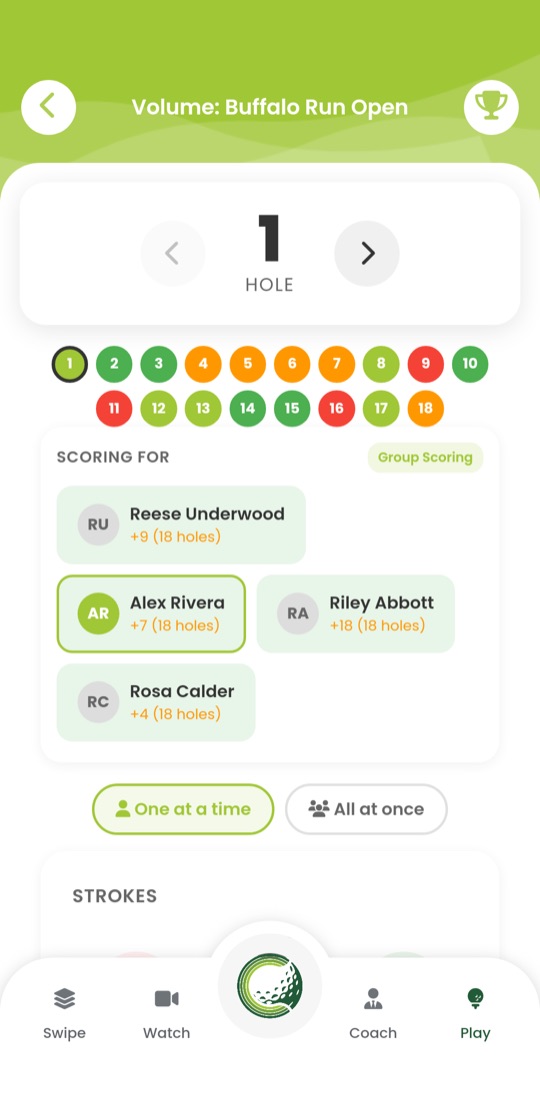
Score your own card or the whole group, one player at a time or all at once, with the hole map showing what is done and what is left.
The leaderboard follows along by flight, gross or net where the event allows it, and refreshes itself while play is on.
Scorers with a printed access code can score in any browser without an account; the leaderboard is open to the field.
Leagues, seasons and organizations
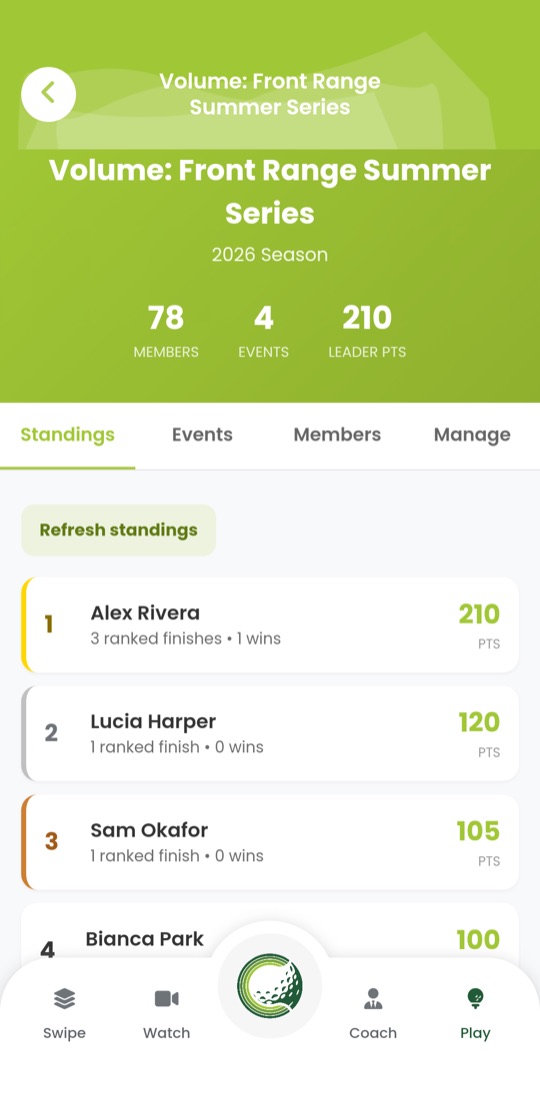
A league strings events into a season with standings that update as results come in. Organizations hold the members, their roles, a logo and the tournaments and leagues they run.
Invitations, membership and admin roles are managed in the same place, by the people who run the club.
Organization settings, logos and member management are in the browser clubhouse alongside the league pages.
Coaches, caddies and bookings
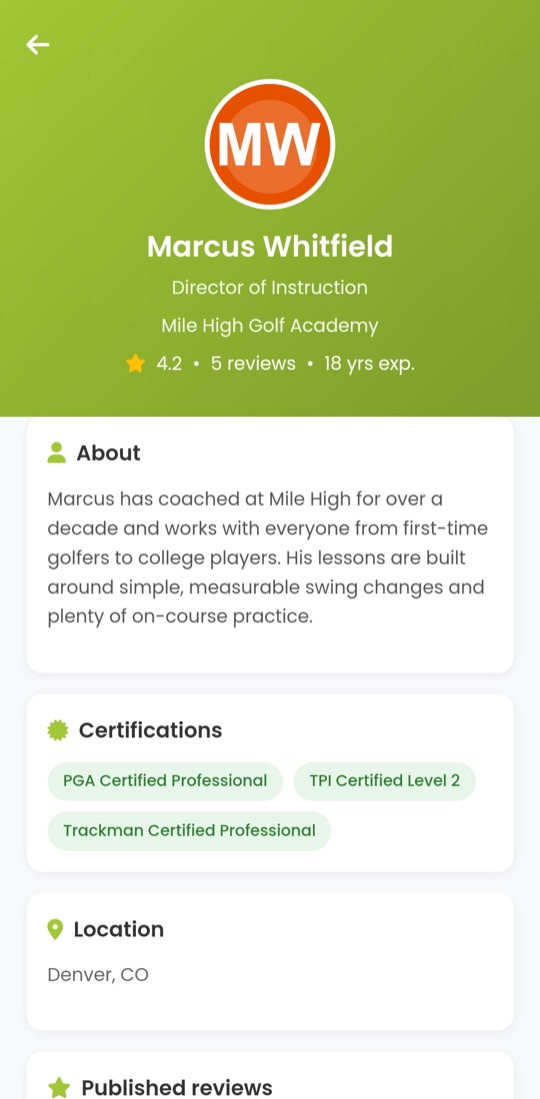
Find coaches and caddies by distance from your ZIP code, read their reviews and certifications, compare services and check a live availability snapshot.
Request a time from the app; the professional accepts in their own portal and the booking is confirmed on your account, ready to add to your calendar. Providers with a hosted booking page can also take you straight to it.
The booking desk on the website has the same directory and your booking history, with cancellation and rescheduling where the professional allows it.
Messages and notifications
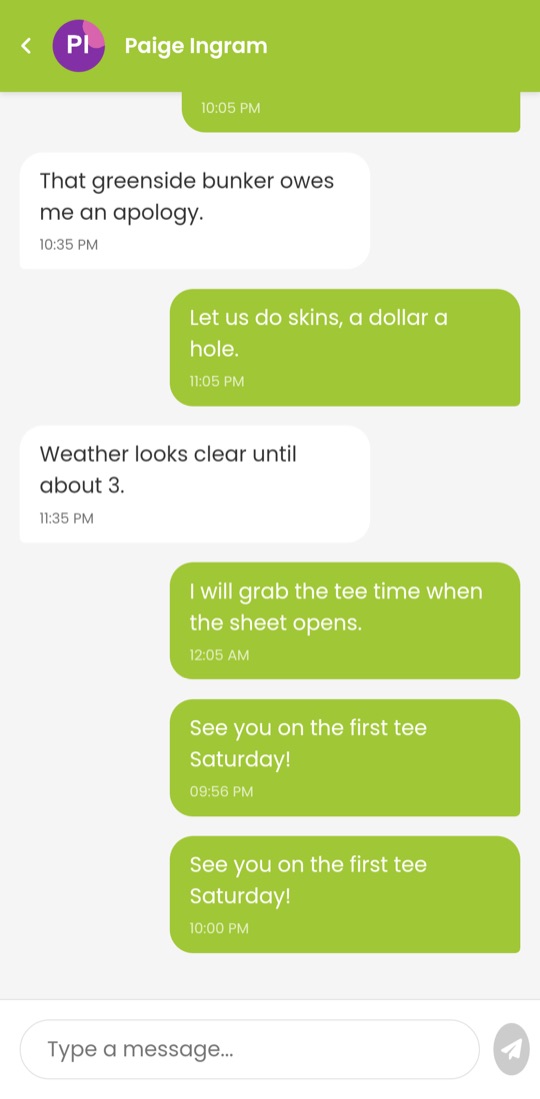
Conversations with golfers you are connected to, tee-time chat inside each lobby, tournament announcements and a notification inbox for invitations of every kind.
Read a message on your phone and it is read on the website as well.
Messages and notifications are in the browser clubhouse; notifications on your phone depend on the app and your device settings.
Sign in on the website with the phone number and email you use in the app. Your profile, connections, tee times, tournaments, scores and bookings are all there, and anything you change is changed everywhere.
Sign in to the clubhouse › Browse the complete feature directory ›